
Most service websites don't have a traffic problem. They have a conversion problem: people arrive, can't quickly tell what you do or whether you can be trusted, and go back to Google to look at the next provider. This guide covers the 15 elements that fix that, grouped by the job each one does, with practical notes on how to implement them.
Buying a service feels riskier than buying a product, because a prospect can't inspect your work before paying. Your website has to answer their questions and reduce that risk while nobody from your team is in the room. A good-looking design alone won't do that.
How visitors actually decide
Most prospects go through four stages before they become a lead:
| Stage | What the visitor is asking | What the site must provide |
|---|---|---|
| Relevance | "Is this the right kind of business for my problem?" | A clear headline, obvious service categories |
| Evaluation | "Do they understand my problem? Have they solved it before?" | Service pages, case studies, testimonials |
| Consideration | "What will it cost, how long, what's the process?" | Pricing guidance, process steps, FAQs, guarantees |
| Conversion | "What happens if I click this?" | A short form, clear next steps, several ways to get in touch |
Most underperforming sites fail at one specific stage. A vague headline loses people at relevance. Weak proof loses them at evaluation. A long contact form loses them at the end. Find the stage where people drop off and fix that first.
First impression: elements 1–3
1. A value proposition people understand in five seconds
Your headline has to answer three questions: what you do, who you do it for, and why someone should pick you over the alternatives. Slogans like "Innovation Without Limits" or "Transforming Tomorrow Today" answer none of them.
Write it in terms of the customer's result:
- Vague: "Industry-leading digital solutions for modern enterprises."
- Clear: "Custom web apps and SEO for Indian SMBs that need more qualified enquiries, not just more traffic."
The supporting line underneath can add the specifics: industries you serve, your approach, or what makes you different. If a stranger can't repeat your offer back after one glance, keep rewriting.
2. A focused hero section
The hero is the first screen visitors see, and it should contain four things: the headline, one or two supporting sentences, a relevant image or illustration, and one primary call-to-action. Auto-rotating sliders, heavy animations and three competing buttons all dilute the message.
Check the hero on a phone before signing off. Long headlines that look fine on desktop often take up the whole mobile screen and push the CTA below the fold.
3. Calls-to-action that say what happens next
"Contact Us" and "Learn More" make the visitor work out what they're signing up for. A better CTA states the action and what they get from it:
- "Book a free 30-minute consultation"
- "Get a written quote within two business days"
- "Request a website audit"
Only promise what your team can deliver. Most people decide after reading a service description or a case study, so put CTAs at those decision points too, matched to the page: a consultation on the homepage, a quote on service pages, a resource on blog posts. A short, factual reassurance next to the button ("No obligation", "We reply within one business day") lowers hesitation.
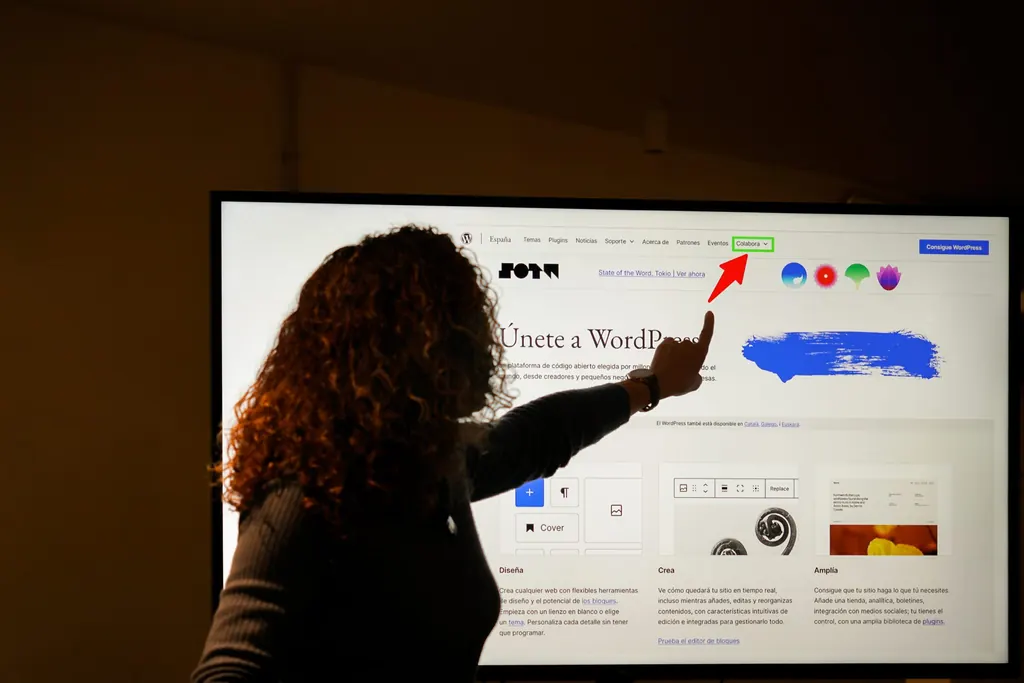 Photo: Nilo Velez · CC0 · WordPress Photo Directory
Proof and trust: elements 4–6
4. Specific, verifiable testimonials
"Great company, highly recommended!" persuades no one. A useful testimonial includes:
- The person's name, role and company (with their permission)
- The problem they had
- What changed, with a number if the client is happy to share one
- A photo or short video, if possible
Put testimonials next to the service they refer to, not all on one page, and link to your Google Business Profile or Clutch reviews so visitors can check the feedback themselves.
5. Trust signals that reduce perceived risk
Testimonials are one kind of trust signal. Others that work well for service businesses:
- Credentials and partnerships: certifications, platform partner badges, industry memberships. Only show ones you currently hold.
- Client logos: only with permission, and in a modest strip rather than a wall.
- Recognition: awards, media mentions, conference talks, published work.
- Security and privacy: HTTPS everywhere, a clear privacy policy and a plain-language note on how enquiry data is used. Handle enquiry data in line with India's Digital Personal Data Protection (DPDP) Act; clear notice and consent also build trust with visitors.
- Real people: a team page with genuine photos (not stock), each person's area of expertise and, ideally, a short introduction from the founder. Buyers of services want to know who they'll actually work with.
- Commitments: response-time promises, transparent pricing ranges, revision policies.
6. Case studies that show how you work
Testimonials show that clients were happy. Case studies show how you got the result. A good case study follows a simple structure:
- Context: who the client is and what their situation was
- Challenge: the specific problem, in their terms
- Approach: what you did and why, without drowning the reader in jargon
- Outcome: what changed, quantified where the client allows it, plus a quote
Three strong case studies across different industries beat twenty thin portfolio thumbnails. Link each one from the relevant service page.
Content that sells: elements 7–9
7. One dedicated page per service
A single "Services" page with a paragraph per offering does poorly in search and doesn't convert. Many visitors land from Google straight onto a service page, so each one has to stand on its own.
A strong service page usually covers, in roughly this order:
- The customer's problem, described the way they'd describe it
- How your service solves it, and who it's for (and not for)
- Your process and typical timelines
- Expected outcomes and benefits
- A relevant case study or testimonial
- FAQs specific to that service
- A clear next step
Where you can, give pricing guidance on the page. You don't need a full rate card: a "starting from" figure, a typical range ("most projects fall between X and Y, depending on scope"), tiered packages or a simple estimate calculator all help. Visitors who know the rough budget before they call make better leads, and you spend less time on calls that were never going to fit.
Each page should target one primary search intent, with related terms used naturally in headings, body copy and image alt text. Good on-page SEO means covering the topic properly, not repeating the keyword.
8. Benefits before features
Features describe what you do. Benefits describe what changes for the client. Compare:
- Feature-led: "We provide cloud migration, automated backups, Kubernetes deployment, monitoring and CI/CD."
- Benefit-led: "We move your systems to the cloud without downtime, automate your releases so updates ship faster, and catch problems before your customers notice them."
Keep the technical detail, because it reassures technical buyers, but lead with the outcome. Be specific: "less manual data entry for your accounts team" says more than "improved efficiency".
9. FAQs built from real sales conversations
Unanswered questions stall decisions. Build your FAQs from the questions prospects actually ask on sales calls, in WhatsApp chats and in email, not from what you assume they want to know. A web development firm, for example, should answer:
- How long does a typical project take?
- Will we own the code and the domain?
- Do you offer maintenance after launch?
Give real answers with realistic ranges, and put each FAQ block on the service page it belongs to. FAQs also help with search, because they match how people phrase questions, including those that appear in "People Also Ask". Note that Google now shows FAQ rich results only for a small set of authoritative government and health sites, so add FAQs for your visitors, not for a search snippet.
Turning interest into enquiries: elements 10–11
10. A contact page that removes uncertainty
The contact page needs more than a form and an address. Tell visitors exactly what happens after they submit: who replies, how quickly, and what the first conversation looks like. For example: "We reply within one business day. The first call is a 30-minute discovery session, with no obligation."
Practical rules:
- Ask for the minimum: name, email or phone, company, and a short description of the need. You can collect everything else on the call.
- Offer several channels: form, phone, email, a booking link, and for most Indian businesses a WhatsApp click-to-chat link, which many prospects prefer.
- Add reassurance: a privacy note next to the form, a short testimonial, or photos of the real team.
- For local businesses: an embedded map, office hours and directions, which also support local SEO.
- Use the thank-you page: confirm what happens next and offer a calendar link so the prospect can book the first call straight away.
11. Lead capture for visitors who aren't ready yet
Most visitors are still researching, and without a way to stay in touch they won't come back. Offer something genuinely useful in exchange for an email address: a checklist, a cost calculator, a short audit, or a template related to the service they were reading about.
Keep these forms short, say clearly what you'll send and how often, and make unsubscribing easy. Then follow up with a short automated email sequence of helpful content and relevant case studies, segmented by the service or industry the lead showed interest in.
Technical foundations: elements 12–14
12. Fast load times and good Core Web Vitals
A slow site loses visitors and makes your business look out of date. Google's Core Web Vitals give you clear targets, measured on real users at the 75th percentile:
| Metric | Measures | "Good" threshold |
|---|---|---|
| Largest Contentful Paint (LCP) | How quickly the main content appears | 2.5 seconds or less |
| Interaction to Next Paint (INP) | How quickly the page responds to taps and clicks | 200 ms or less |
| Cumulative Layout Shift (CLS) | How much the layout jumps while loading | 0.1 or less |
INP replaced First Input Delay as a Core Web Vital in March 2024, so audits or agency reports that still quote FID are out of date. The web.dev Core Web Vitals guide explains each metric in detail.
The fixes that help most on typical service sites: compress images and serve them as WebP or AVIF, lazy-load images below the fold, remove unused third-party scripts (chat widgets and tracking tags add up fast), defer non-critical JavaScript, and set proper caching headers. Test with PageSpeed Insights, which shows both lab results and real-user field data. If the problems go deeper than plugins and images, a technical SEO audit is the next step.
13. Mobile-first design
In India, most of your visitors will be on a phone, often on mobile data, and Google uses the mobile version of your site for indexing and ranking. Responsive design means more than shrinking the desktop layout:
- Text readable without zooming, tap targets large enough for a thumb
- Click-to-call phone numbers and click-to-chat WhatsApp links
- Forms with the right keyboard types (numeric for phone, email for email) and clear error messages
- The primary CTA reachable without hunting for it
Test on a mid-range Android phone on 4G, not just on your own new device on office Wi-Fi.
14. Content that answers customer questions
Good design can't help if nobody finds the site. Base your content on what prospects actually search for, then build guides, case studies and blog posts around each service that answer real questions. Link them together: blog posts to the relevant service, service pages to case studies, case studies to a consultation. Google rewards helpful, people-first content written from real experience, and that's also the content that persuades buyers.
Measurement: element 15
15. Analytics and conversion tracking
You can't improve what you don't measure, and page views alone tell you very little. Set up tracking for the actions that matter:
- Form submissions, booking completions and WhatsApp/phone clicks (set up as key events in GA4)
- Conversion rate by landing page and by traffic source
- CTA click-through rates
- Scroll depth on key service pages
Where possible, pass form leads into your CRM with their source and landing page, so you can see which pages and channels produce paying clients, not just enquiries. Our CRM integration work often starts here.
Add a heatmap and session-recording tool such as Microsoft Clarity (free) to see where people click, where they stop scrolling and where they get stuck. Once you have enough traffic, A/B test one change at a time, such as a headline, CTA wording or form length, and let the data decide.
Review these numbers monthly. A 30-minute review that leads to one concrete change beats a long report nobody reads.
Common mistakes that undo good work
- Saying everything at once: a homepage listing every service, award and milestone overwhelms visitors. Give each page one main job and one primary CTA.
- Confusing navigation: if pricing, services or contact details take more than a click or two to find, people give up.
- Generic copy: descriptions copied from competitors or full of clichés show no expertise.
- Ignoring accessibility: low contrast, missing alt text and forms that don't work with a keyboard shut people out.
- Launch and forget: outdated statistics, expired offers, broken links and a blog last updated in 2022 suggest the business isn't active.
Key takeaways
Use this checklist when reviewing your site:
- Headline says what you do, for whom, and why you; one primary CTA visible on mobile
- CTAs describe what happens next and sit at natural decision points
- Specific, attributed testimonials and current credentials next to the relevant service
- Two or three detailed case studies, linked from service pages
- One page per service: problem, solution, process, proof, pricing guidance, FAQ, CTA
- Copy leads with client benefits; FAQs come from real sales conversations
- Short contact form, clear next steps, WhatsApp and phone options
- A lead magnet and follow-up sequence for visitors who aren't ready yet
- LCP, INP and CLS in the "good" range, tested on a real mid-range phone
- Key events tracked in GA4, heatmaps installed, monthly review in the calendar
If your current site falls short on several of these, we build and optimise conversion-focused web applications and websites for service businesses. Book a free consultation for a no-obligation chat about what's holding your site back; we'll be happy to help. If it's a fit, we can also help make your website DPDP-compliant.