
If your releases depend on one developer remembering twelve manual steps, every deployment is a small gamble: a missed environment variable, the wrong build uploaded, a migration forgotten. Small teams feel this most, because the person deploying is usually also the person writing features and fixing production at 11 pm.
This guide shows how to replace that with a GitHub Actions pipeline that tests every change, builds once, deploys to staging automatically and waits for a human before production. It includes two copy-and-adapt workflow files, plus the security and rollback habits that make them safe to rely on.
CI, continuous delivery and continuous deployment
The terms get mixed up, so it helps to pin them down:
- Continuous Integration (CI): every push and pull request triggers automated checks (install, lint, test, build). Problems surface within minutes of being introduced, while the change is still fresh in the developer's head.
- Continuous Delivery: every change that passes CI is packaged and ready to release, but a person approves the production deployment.
- Continuous Deployment: the same, with no human approval. If the checks pass, it ships.
For most small teams we recommend starting with continuous delivery: automate everything up to production, keep one approval click at the end, and remove it later only if your test coverage and monitoring earn that trust.
Why it matters more for small teams
Large companies have release engineers. Small teams have whoever is free. CI/CD gives you:
- Consistency. The pipeline runs the same steps every time, regardless of who triggers it. Deployments stop being a memory test.
- Faster feedback. A failing test shows up on the pull request, not three days later during a release.
- Better reviews. Reviewers can see that the build and tests already pass, so they spend their time on logic and design instead of "does this even compile?"
- Smaller, safer releases. When deploying is cheap, you ship small changes often. A release with five changes is far easier to debug and roll back than one with fifty.
- A process that scales. Setting this up with three developers is much easier than retrofitting it at fifteen.
Why GitHub Actions is a good default
If your code already lives on GitHub, Actions is usually the path of least resistance:
- No CI server to run. Workflows execute on GitHub-hosted runners (Linux, Windows or macOS virtual machines) that start clean for every job and are discarded afterwards.
- Event-driven. Workflows can run on pushes, pull requests, tags, releases, a schedule or a manual button.
- A large marketplace. Official and community actions cover Node.js, Python, Docker, AWS, Azure, Google Cloud, Terraform, notifications and more.
- A free tier that covers many small teams. Public repositories get free minutes on standard runners, and private repositories on the Free plan include 2,000 minutes a month. Check GitHub's billing documentation for current limits, since Windows and macOS runners consume minutes faster than Linux.
- Pipelines as code. Workflow files sit in your repository, so pipeline changes are reviewed, versioned and reverted like any other code.
The building blocks
| Concept | What it is |
|---|---|
| Event | What starts a run: push, pull_request, schedule, workflow_dispatch (manual) and others |
| Workflow | A YAML file in .github/workflows/ describing one pipeline |
| Job | A group of steps that runs on one runner; jobs run in parallel unless you chain them with needs |
| Step | A single shell command or action inside a job |
| Action | A reusable step, such as actions/checkout or docker/build-push-action |
| Runner | The machine that runs a job: GitHub-hosted, or self-hosted on your own infrastructure |
Keep workflows split by responsibility, for example ci.yml for checks and deploy.yml for releases. One giant workflow that does everything quickly becomes hard to read and debug.
Step 1: a CI workflow that runs on every pull request
Your first workflow should answer one question: does the latest code still work? Here is a Node.js version that lints, tests and builds. The same shape works for Python, PHP or Java; swap the setup action and commands.
Create .github/workflows/ci.yml:
name: CI

on:
  pull_request:
  push:
    branches: [main]

permissions:
  contents: read

concurrency:
  group: ci-${{ github.ref }}
  cancel-in-progress: true

jobs:
  lint:
    runs-on: ubuntu-latest
    steps:
      - uses: actions/checkout@v7
      - uses: actions/setup-node@v7
        with:
          node-version: 24
          cache: npm
      - run: npm ci
      - run: npm run lint
      - run: npx prettier --check .

  test:
    runs-on: ubuntu-latest
    steps:
      - uses: actions/checkout@v7
      - uses: actions/setup-node@v7
        with:
          node-version: 24
          cache: npm
      - run: npm ci
      - run: npm test

  build:
    needs: [lint, test]
    runs-on: ubuntu-latest
    steps:
      - uses: actions/checkout@v7
      - uses: actions/setup-node@v7
        with:
          node-version: 24
          cache: npm
      - run: npm ci
      - run: npm run build
      - uses: actions/upload-artifact@v7
        with:
          name: dist
          path: dist/
          retention-days: 7
A few details worth copying even if your stack differs:
lintandtestrun in parallel, andbuildonly starts when both pass. Independent checks should never wait on each other.cache: npmrestores the npm download cache between runs, so dependency installs are much faster after the first run. Equivalent options exist for pip, Maven, Gradle, NuGet and Bundler.permissions: contents: readlimits what the built-inGITHUB_TOKENcan do. Grant more only to the jobs that need it.concurrencywithcancel-in-progressstops outdated runs when someone pushes again to the same branch, saving minutes and giving faster feedback.- Need to support more than one runtime version? Replace the fixed
node-versionin thetestjob with astrategy.matrix(for examplenode-version: [22, 24]) to run the tests once per version in parallel. Skip it if your app only runs on one version.
As the project grows, add dependency and code scanning to CI. GitHub's Dependabot alerts and CodeQL code scanning are the natural starting points; npm audit, pip-audit or similar tools fill the same role for other stacks.
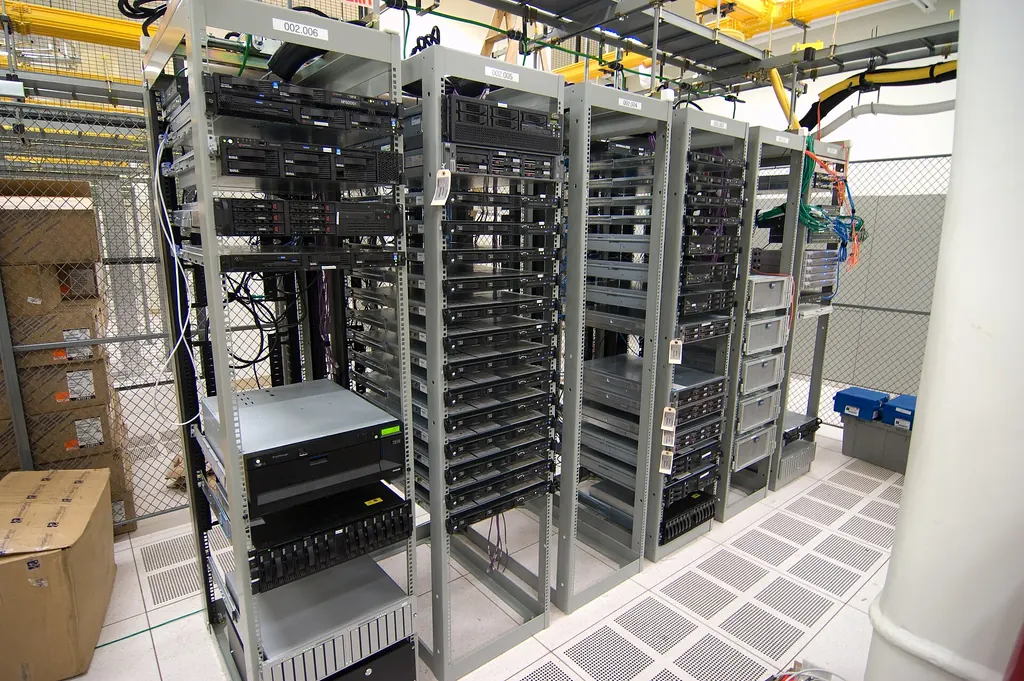 Photo: Alexis Lê-Quôc · CC BY-SA 2.0 · Wikimedia Commons
Step 2: build once, deploy to staging, approve for production
Once CI is reliable, add a deployment workflow. The pattern below builds a Docker image tagged with the commit SHA, pushes it to GitHub Container Registry (GHCR), deploys it to staging, smoke-tests it, and then waits for approval before production.
Create .github/workflows/deploy.yml:
name: Deploy

on:
  push:
    branches: [main]
  workflow_dispatch:

permissions:
  contents: read

concurrency:
  group: deploy-production
  cancel-in-progress: false

env:
  # GHCR image names must be lowercase
  IMAGE: ghcr.io/your-org/your-app

jobs:
  image:
    runs-on: ubuntu-latest
    permissions:
      contents: read
      packages: write
    steps:
      - uses: actions/checkout@v7
      - uses: docker/setup-buildx-action@v4
      - uses: docker/login-action@v4
        with:
          registry: ghcr.io
          username: ${{ github.actor }}
          password: ${{ secrets.GITHUB_TOKEN }}
      - uses: docker/build-push-action@v7
        with:
          context: .
          push: true
          tags: ${{ env.IMAGE }}:${{ github.sha }}
          cache-from: type=gha
          cache-to: type=gha,mode=max

  staging:
    needs: image
    runs-on: ubuntu-latest
    environment: staging
    steps:
      - uses: actions/checkout@v7
      - name: Deploy to staging
        run: ./scripts/deploy.sh "$IMAGE:$GITHUB_SHA"
        env:
          DEPLOY_TOKEN: ${{ secrets.DEPLOY_TOKEN }}
      - name: Smoke test
        run: curl --fail --retry 5 --retry-delay 10 "${{ vars.APP_URL }}/health"

  production:
    needs: staging
    runs-on: ubuntu-latest
    environment: production
    steps:
      - uses: actions/checkout@v7
      - name: Deploy to production
        run: ./scripts/deploy.sh "$IMAGE:$GITHUB_SHA"
        env:
          DEPLOY_TOKEN: ${{ secrets.DEPLOY_TOKEN }}
      - name: Smoke test
        run: curl --fail --retry 5 --retry-delay 10 "${{ vars.APP_URL }}/health"
How it fits together:
- One image, promoted through environments. Staging and production run the exact same image, so "it worked in staging" actually means something. The commit SHA tag also tells you precisely what is running where.
scripts/deploy.shis yours. It might callkubectl set image, update an AWS ECS service, SSH into a VM and restart a container, or trigger your hosting provider's CLI. For AWS, Azure and Google Cloud, prefer the providers' official login actions with OpenID Connect (OIDC) over long-lived access keys.stagingandproductionare GitHub Environments. Each has its ownDEPLOY_TOKENsecret andAPP_URLvariable, set under Settings → Environments. Add required reviewers toproduction, and the job pauses until someone approves it. Note that on private repositories some environment protection rules depend on your GitHub plan, so check what yours includes.- Smoke tests gate promotion. If the
/healthcheck fails on staging, production never runs. concurrencywithout cancellation makes a new deployment wait for the running one to finish rather than running two at once or cancelling one halfway through. If several pile up, GitHub keeps only the newest pending run, which is usually what you want.
Because pull requests must pass CI before merging (see branch protection below), anything that reaches main has already been tested. If you deploy static sites or serverless functions rather than containers, keep the same structure and replace the image job with your platform's build and deploy step.
Step 3: lock it down
Automation is only as trustworthy as the rules around it.
Secrets
Never commit API keys, database passwords, SSH keys or cloud credentials. Store them as GitHub Actions secrets (repository- or environment-level). They are encrypted, injected only at run time and masked in logs. Then:
- Give each credential the minimum permissions it needs. A deploy token rarely needs full admin access to your cloud account.
- Prefer short-lived OIDC credentials for cloud providers, so there is no long-lived key to leak.
- Rotate the secrets that remain on a schedule, and immediately when someone leaves the team.
Configuration
Keep environment-specific values (API endpoints, database hosts, feature flags, log levels) out of the code and in environment variables. The same build artifact should run in staging and production with only configuration changing.
Branch protection
On main, use branch protection rules or rulesets to:
- require a pull request before merging
- require the CI checks to pass
- require at least one approving review
- block force pushes and branch deletion
- require review conversations to be resolved
With these in place, untested code cannot reach the branch that deploys.
Third-party actions
Marketplace actions run with access to your code and secrets. Prefer actions published by GitHub, your cloud provider or well-known maintainers, review what a lesser-known action does before using it, and consider pinning third-party actions to a full commit SHA rather than a tag.
Step 4: plan for rollback before you need it
Every pipeline eventually ships something broken. What matters is how fast you recover.
- Keep versioned artifacts. Because every image is tagged with its commit SHA and kept in the registry, rolling back means redeploying the previous tag, not rebuilding old code under pressure. A small
workflow_dispatchworkflow that takes an image tag as input makes this a one-click operation. - Make database migrations backward compatible. Add new columns before code uses them, and remove old ones in a later release. Then the previous app version still works if you roll back. Back up before any migration that deletes or rewrites data.
- Choose a deployment strategy that fits your setup. Rolling deployments replace instances gradually. Blue-green runs two identical environments and switches traffic between them, which makes rollback nearly instant. Canary releases send a small share of traffic to the new version first, which suits SaaS products with enough users to spot problems early. Most small teams start with rolling or simple redeploys and adopt the others when traffic justifies them.
- Rehearse. Run a rollback deliberately on staging every so often, so the first attempt is not during an incident.
Step 5: notify, monitor and keep it fast
Notifications and monitoring
Send failed builds, production deployments and approval requests to where your team already talks, such as Slack, Microsoft Teams or email. Deployment is not the finish line: track availability, response times, error rates and resource usage after each release, so a bad deploy is spotted by your alerts before your customers report it.
Keeping pipelines quick
Slow pipelines get bypassed. The most effective fixes are:
- Skip irrelevant runs. Use
paths-ignoreon push triggers so documentation-only changes do not trigger full builds. Be careful applying it to pull requests if those checks are required in branch protection, because a skipped required check can block the merge. - Parallelise independent jobs, as the CI workflow above does with lint and test.
- Cache dependencies with the built-in caching in setup actions, or
actions/cachefor anything else. - Build once, reuse everywhere. Deploy the artifact or image CI produced instead of rebuilding per environment.
- Optimise Dockerfiles. Use multi-stage builds and copy dependency manifests before source code, so the dependency layer stays cached between builds.
- Read the timings. Each run's job durations show where the minutes go. Review them every few months.
When a run fails
Most failures are quick to diagnose if you know where to look:
- Turn on debug logging. Use Re-run jobs → Enable debug logging on the failed run, or set a repository variable or secret
ACTIONS_STEP_DEBUGtotruefor more detailed step logs. - Keep the evidence. Runners are discarded after each job, so upload logs and test reports when something fails:
- name: Upload logs on failure
  if: failure()
  uses: actions/upload-artifact@v7
  with:
    name: failure-logs
    path: |
      logs/
      test-results/
    retention-days: 7
- Know the usual suspects.
npm cifails without a committedpackage-lock.json. "Permission denied" on a script likescripts/deploy.shusually means the executable bit was never committed; fix it withgit update-index --chmod=+x scripts/deploy.sh. A job that works locally but not in CI often depends on an environment variable or secret that isn't set for that environment.
Common mistakes to avoid
- Automating everything on day one. Start with CI on pull requests. Add staging, then production deployment, as confidence grows.
- A pipeline with no real tests. Automation without meaningful unit and integration tests just ships bugs faster.
- Tolerating flaky tests. Once people get used to clicking "re-run" on red builds, they stop trusting CI. Fix or quarantine intermittent tests promptly.
- Secrets in workflow files, or overly broad tokens.
- One monolithic workflow that is hard to read, debug and change.
- No rollback plan, discovered during the first bad release.
- Set and forget. Runtimes, action versions and dependencies change. Review your workflows periodically and keep actions on supported major versions; Dependabot can open pull requests for action updates if you add the
github-actionsecosystem to its configuration.
Self-hosted or GitHub-hosted runners?
GitHub-hosted runners are the right default for most small teams: no maintenance, a clean machine every run, and nothing to patch. Self-hosted runners make sense when you need specific hardware such as GPUs, access to a private network, or very long builds where your own machines are cheaper. They also mean you own their security and updates, so avoid using them on public repositories, where outside contributors could run code on your machines.
Key takeaways: your CI/CD checklist
- Workflows live in
.github/workflows/, split into CI and deploy - Every pull request runs lint, tests and a build
- Dependency and code scanning are enabled
- The build produces one versioned artifact or image
- Staging deploys automatically and is smoke-tested
- Production requires approval through a protected environment
- Credentials live in GitHub Secrets or OIDC, scoped to least privilege
-
mainis protected: PRs, passing checks and reviews required - A tested, one-click rollback exists
- Failures and deployments notify the team, and production is monitored
- Pipelines are reviewed periodically for speed and security
Want a pipeline like this without spending a sprint on it? Our CI/CD pipelines team can set up and hand over a GitHub Actions workflow tailored to your stack, alongside monitoring and observability for after go-live. Book a free consultation for a no-obligation chat about your release process; we'll be happy to help, and if it's a fit, we can also help make your product DPDP-compliant.